Was Sie vorher wissen sollten
bevor Sie beginnen

Beginnt 6 June 2026 17:34

Endet 6 June 2026

00 Tage
00 Stunden
00 Minuten
00 Sekunden
course image

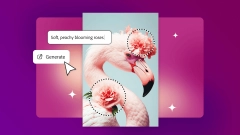
Generative AI for Designers

Discover how to integrate Firefly-powered AI tools in Photoshop to generate, enhance, and remix visual content while accelerating your creative design workflow.
Adobe via Coursera

Adobe

2874 Kurse


5 hours 17 minutes

Optionales Upgrade verfügbar

Not Specified

Lernen Sie in Ihrem eigenen Tempo

Paid Course

Optionales Upgrade verfügbar

Übersicht

This course introduces designers to the creative possibilities of Generative AI in Photoshop. Through short, hands-on modules, learners will explore how to use AI tools to generate, enhance, and remix visual content.

Whether you're new to AI or looking to expand your creative toolkit, this course will help you build confidence using Firefly-powered features to accelerate ideation, polish designs, and explore new directions. By the end of the course, learners will understand the role of AI in modern design workflows, apply multiple AI techniques to create and refine visuals, and export professional-quality designs.

This course is ideal for graphic designers seeking to integrate AI into their creative process.

Lehrplan

  • Welcome to generative AI in Adobe Photoshop
  • This module introduces you to the role of generative AI in modern design workflows. You'll explore how AI can support creativity, experiment with AI-powered tools in Adobe Photoshop, and connect with the Adobe community. The module includes onboarding, an FAQ, and a knowledge check to help you build confidence before you dive into hands-on creation.
  • Creating with Generative AI
  • This module focuses on using generative AI to create and transform images. You'll explore how to expand canvases, generate new backgrounds, and apply multiple AI techniques to bring your ideas to life. The module emphasizes experimentation and iteration.
  • AI-Powered Compositing and Finishing
  • In this final module, you'll apply AI tools to refine and complete your designs. From generating overlays to enhancing detail and controlling fill precision, you'll gain confidence using AI to polish your work and prepare it for export.

Unterrichtet von

Adobe


Fachgebiete

Computer Science